
Nextbook NXW8QC16G Inexpensive 8″ 16GB Windows Tablet
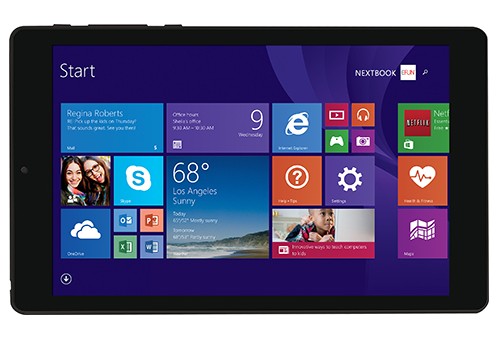
E Fun’s Nextbook NXW8QC16G is a contender in the lowest-end Windows tablet segment. This $150 slate has an 8″ display at 1280×800 pixels and the basic but usable for everyday tasks Intel Atom Z3735G quad-core processor. Unfortunately, the screen is based on TN panel technology, so it can’t provide as wide viewing angles as the IPS displays. RAM and storage are on the small side, with 1GB and 16GB capacity, respectively. These massively limit usability of pre-installed Windows 8.1. In this case, hardware can handle only very basic computing with a small numbers of browser tabs and apps opened simultaneously and you can install a very limited number of apps from the Windows Store. At least, you can expand storage via a microSD card slot with up to 64GB.
With the specs and price, (especially Black Friday $50 discount at Walmart), the Nextbook NXW8QC16G competes against the 100-dollar HP Stream 7 with a 7″ display. The Stream 7 is equipped with IPS and 32GB storage, but the Nextbook adds a micro HDMI video output as an extra feature.
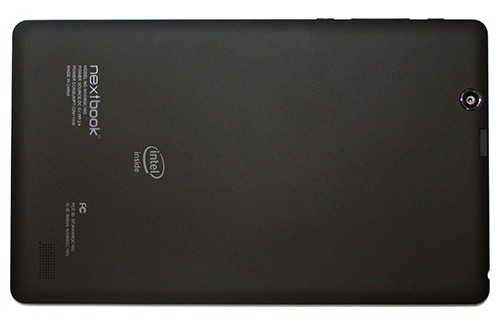
The tablet has dual cameras. The rear cam sports a 2MP sensor, while the front shooter has a 0.3MP one. There are Wi-Fi and Bluetooth connections and a micro USB port. The battery has a capacity of 4000 mAh. We have no info on battery life nor dimensions and weight of the slate.
A free 1-year subscription for Office 365 Personal software suite is included in price.
E Fun offers a 10.1″ variant too. It is definitely a better buying choice, since it delivers 32GB of internal storage and a keyboard dock for only $30 more.
Specifications
| Brand | Other |
|---|---|
| Screen Size | 8-inch |
| Screen Resolution | 1280x800 pixels HD (entry-level sharpness) |
| Touchscreen | Finger multi-touch input |
| Other Display Specs | TN type |
| Processor (CPU) | Intel Atom Z3735G quad-core 1.33-1.83GHz 2MB cache (User Benchmark CPU score: 13) |
| System Memory (RAM) Size | 1GB RAM |
| Data Storage | 16GB eMMC |
| DVD Optical Drive | None |
| Graphics (GPU) | Intel HD integrated graphics of low-end CPUs (only for the lightest gaming) |
| Keyboard & Input | Touchscreen |
| Camera | Front + rear |
| Wi-Fi Wireless | 802.11N |
| Ethernet Network Port | No |
| Mobile broadband (4G LTE) | No |
| Bluetooth | Yes |
| USB Ports | 1 x micro USB 2.0 |
| Video Output Ports | 1 x micro HDMI |
| Media Card Reader | MicroSD card reader |
| Other Features | Microsoft (Office) 365 Personal 1-year subscription for free |
| Battery | 4000 mAh |
| Windows Version | Windows 8.1 |
| Warranty | 1-year |
User Reviews, Questions and Answers
Below you can read and submit user reviews, questions, and answers about the Nextbook NXW8QC16G. Thank you for your contribution.
Please CLICK HERE to provide e-mail for receiving notifications when there are new replies
(The e-mail won't be used for any other purposes.)
Related laptops

More Related Laptops
-
Microsoft Surface Pro 9 5G Tablet Laptop Hybrid
1,180 USD* Read More -
Microsoft Surface Pro 9 Tablet Laptop Hybrid
1,000 USD* Read More -
Microsoft Surface Go 3 Tablet Laptop Hybrid
400 USD* Read More -
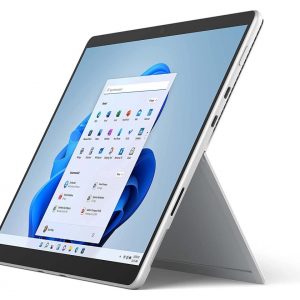
Microsoft Surface Pro 8 Tablet Laptop Hybrid
860 USD* Read More -
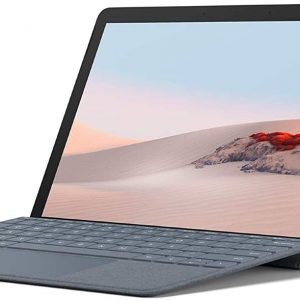
Microsoft Surface Go 2 10.5″ Laptop-Tablet Hybrid
399 USD* Read More -

Microsoft Surface Book 3 15″ Convertible Laptop
2,300 USD* Read More -
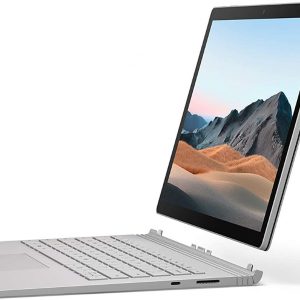
Microsoft Surface Book 3 13.5″ Convertible Laptop
1,600 USD* Read More -
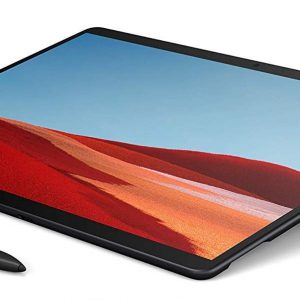
Microsoft Surface Pro X 13″ Windows Tablet with LTE
900 USD* Read More -
Microsoft Surface Pro 7 (7th Gen, 2019) High-End 12.3″ Tablet
750 USD* Read More
Question
Patrick –
Please my next book nxw8qc16g has a screen problem.whenever I power on it gets stuck on white screen for about 30mins before the white screen clears off. What can I do to fix this
Notify me of replies Unwatch this thread
Question
TRIPURA –
what has happened to my tab it asks me for the previous ppassword i used and also says your tab is in offline ? why?
Notify me of replies Unwatch this thread
NEXTBOOK NXW8QC16G PROBLEM
LEVI –
AFTER THAT MESSAGE IT WILL REBOOT AGAIN AND AFFAIR AGAIN THE MESSAGE AGAIN AND AGAIN. . . HOW CAN I FIX THAT PROBLEM?
Notify me of replies Unwatch this thread
1 out of 5
scott pritchard –
I dont even own one of these things, but just try fixing something that went wrong….Good Luck…there is virtually no support for these pieces of sh*t….I encourage you to stay far far away from these thing…they are not worth the headache
Notify me of replies Unwatch this thread
Martha Robinson –
I need to have the charger port replaced. My regular computer repairman said he couldn’t do it that it would have to be sent back to the factory. Need info on what to do.
Notify me of replies Unwatch this thread
Arlyn –
I buy this window tablet 16gb. But in a few days i use it. 49 percent of remaining battery, when shut off. Another days, it’s shut off again even 60 percent of battery left. It’s only 15 days when i buy it. May i know what is the problem of my tablet? Thanks
Notify me of replies Unwatch this thread
Ravi –
Thank you Dawn your solution worked.
At the password screen tap the icon in the lower left corner then hit on screen keyboard. Make it bigger by stretching from lower left corner. Hit shift 30-40 times then hit the power icon in the right corner of the screen then hit restart. Then it should take u to the options to troubleshoot then factory reset. It worked for me.
Notify me of replies Unwatch this thread
John –
I tried hard reseting my tablet by holding volume down and power but no screen poped up just went str8 to the password screen
Notify me of replies Unwatch this thread
Susan –
I have a next book model number nxw8qc16g. It will not turn on it should be fully charged.What can I do?
Notify me of replies Unwatch this thread
Danijel Z –
That appears to be a common problem with this Nextbook. I advise you to contact their or your seller’s support and ask for a solution.
3 out of 5
MELISSA –
how do i do a hard factory reset i forgot my password
Notify me of replies Unwatch this thread
Danijel Z –
Generally, you can enter the factory reset feature on all Windows 8 tablets by holding Volume Down key while powering on the tablet (Power + Volume Down). Then choose Troubleshoot option on the screen and tap Reset PC option. I assume you know your personal files will be lost after the reset.
John –
Does not work…..does the same thing as holding volume up also. or home key….ive tried it all…there has got to be a solution somewhere…..
Dawn –
At the password screen tap the icon in the lower left corner then hit on screen keyboard. Make it bigger. Hit shift til it locks then hit the power icon in the right corner of the screen then hit restart. Then it should take u to the options to troubleshoot then factory reset. It worked for me.
John –
Dawn you’re a flipping genious….the only one in the tech world that had the solution…..you’re awesome
Ted –
It is stuck between the, Automatic repair And diagnosing your PC. It goes back-and-forth but it’s like in the loop.
3 out of 5
jared –
Hi
just a question…. does anyone else have a problem with the lcd where when looking at tab in landscape with volume key at top left the lcd from right it inverts and look from left its fine ? w the right eye stuffs out.. flip tab then left eye same thing … ???
thanks
J
Notify me of replies Unwatch this thread
Danijel Z –
The tablet has a TN-based LCD panel as opposed to IPS, so color inversion at certain viewing angles is usual.
TAMMY YOST –
MY notebook will not power up what can I do?
Notify me of replies Unwatch this thread
Danijel Z –
Are you maybe referring to the Netxbook 10.1?http://laptoping.com/specs/product/nextbook-nxw10qc32g/
In the Q&A section of that page, you can see other folks have problems with powering up, too. Solution is still unknown. It appears to be a wide-spread problem, so I would recommend contacting your seller and ask for support.
Marie –
Can you give me the specific wire/connector that I need to use to connect my nextbook to hdmi tv? Thanks
Notify me of replies Unwatch this thread
Danijel Z –
You’ll need a standard micro-HDMI / full-size HDMI cable, such as this one: http://www.newegg.com/Product/Product.aspx?Item=N82E16882189032&cm_re=micro_hdmi_to_hdmi-_-82-189-032-_-Product
hugo –
porque no quiere prender mi tablet
Notify me of replies Unwatch this thread
marco –
tengo un problema con mi tablet Nextbook NXW8QC16G, pues no quiere entrar, no inicia solo me aparecen una letras que dicen ´´PREPARANDO REPARACIÓN AUTOMÁTICA´´ Y SE QUEDA AHI durante horas y no hace nada , que puedo hacer ? ayudaaa!!
Notify me of replies Unwatch this thread
marco –
I have a problem with my tablet Nextbook NXW8QC16G , not wanting to get in, I just started not appear over letters that say ”PREPARANDO REPAIR AND STAYS THERE AUTOMÁTICA” for hours and do nothing, I can do ? help me
Sonny S –
Can the internal 1gb memory be upgraded to more memory?
Notify me of replies Unwatch this thread
Danijel Z –
No, unfortunately. RAM isn’t upgradeable on the NextBook and other similar tablets.
Barbara Sharp –
Can use use a headset and listen to books on this device? We gave wifi will this work without additional charges.
Notify me of replies Unwatch this thread
Danijel Z –
Yes, it has a standard 3.5mm audio jack you can find on virtually all modern tablets and laptops. So you’ll be able to listen books and music. The tablet uses Wi-Fi connection to get you online, so if you already have working Wi-Fi, you will not need any other additional connection and accomanying costs.